Squaremates explained: what a business AI agent can do, and what to check before giving it access
Square's new business agent, explained through restaurant, retail and service-business uses. What is available, how to start and what to check before allowing changes.

Official Square announcement image. Square, November 12, 2026.
The useful question: where should an agent be allowed to read, recommend and act?
An AI that writes a sales summary and an AI that changes your catalogue need different levels of trust. That is the useful question behind Square's latest announcement: where should a business agent be allowed to read, recommend and act?
On November 12, Square announced Squaremates, an evolution of Managerbot, alongside updates to its developer tools. Square says Squaremates is generally available to U.S. sellers, excluding Multi-Account Suite sellers. This is not a worldwide availability announcement.
What Square says is available
Squaremates sits inside Square Dashboard and works with business information already in Square. The announced examples include analysing sales, identifying customers who have not returned, generating campaign material, reviewing catalogue details and preparing staffing recommendations.
Square also says its MCP connection lets outside AI assistants work with a defined set of Square actions. Its command-line tool is aimed at sellers and developers who want to script tasks or build connected applications. These are different ways into the same business data, not interchangeable products that every owner needs to install.
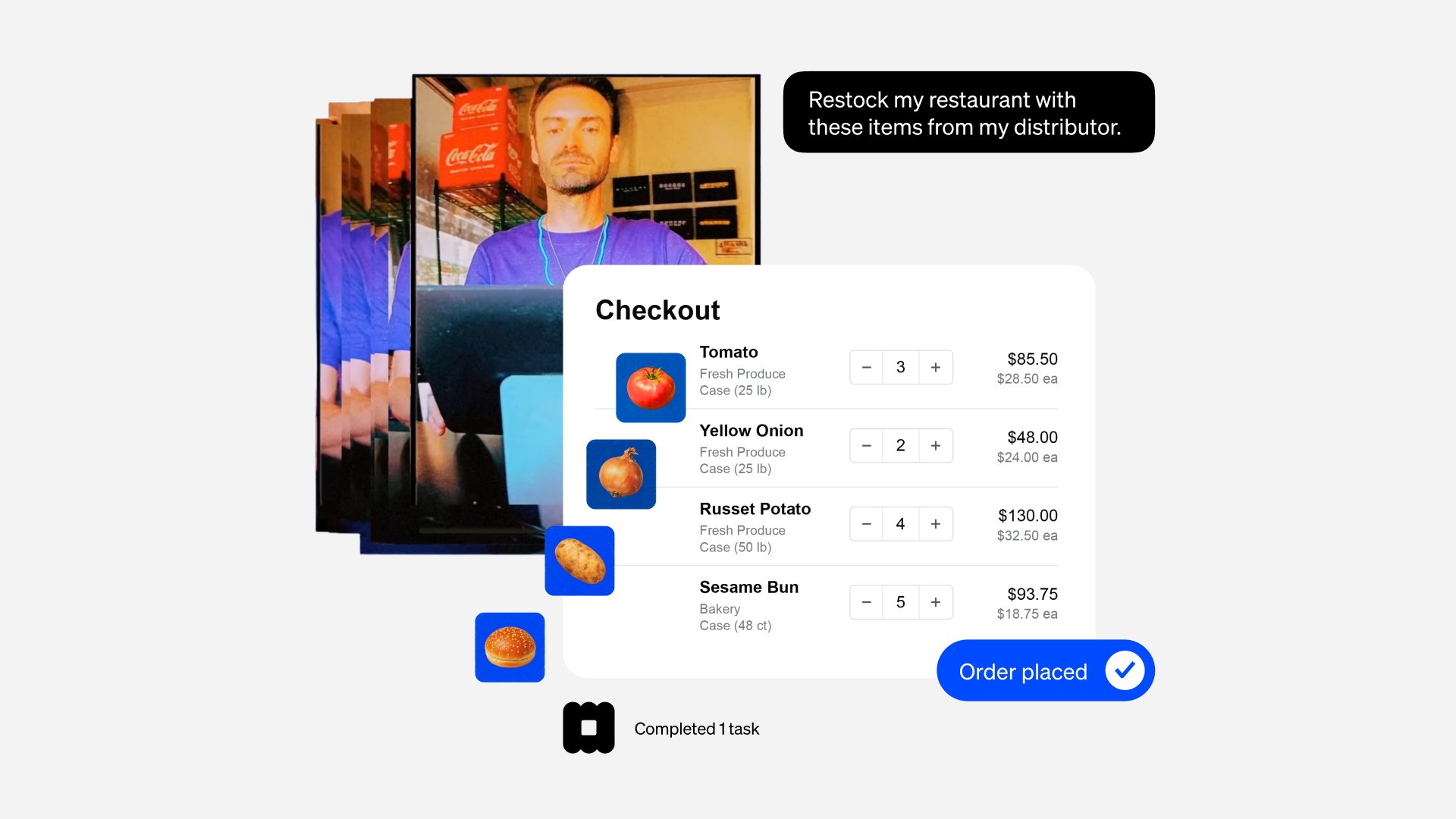
Square's own announcement artwork, not our test. It displays 'Order placed', but the release describes supplier-site ordering as a beta that prepares an order for the seller to complete.
Keep the rollout boundaries clear. Supplier-site restocking is described as a beta capability that prepares an order for the seller to complete. Email-connected daily briefings are described as coming soon. The separate mobile app has an alpha waitlist. None of those should be described as universally available today.
Availability matters: U.S. sellers: announced rollout, except Multi-Account Suite. Supplier restocking: beta. Email briefing: coming soon. Separate mobile app: alpha waitlist.
How to start without handing over the whole business
If you are an eligible U.S. Square seller, begin in Square Dashboard and check which Squaremates features your account actually offers. Pick one question about a completed period, then compare the answer against the underlying report before asking it to change anything.
For example: "Compare sales by location for last week. Show the date range and which locations are included. Do not change any records."
This is a suggested first task, not a prompt we have tested in a live account. A useful result should identify its inputs, make the comparison easy to check and say when information is missing. A confident paragraph without a traceable report is not enough.
Three practical business uses
Restaurant / Staff against demand
A restaurant owner could compare sales and staffing for the same period before reviewing the next rota. Check whether the comparison includes the right locations and hours. An apparently quiet shift might still be necessary for preparation, cleaning or minimum safe cover. The AI's recommendation is an input to that decision, not the decision itself.
Retailer / Fix catalogue gaps
A retailer could ask for a list of catalogue items with missing descriptions before editing them. Review a small sample first. Keep prices, variants and stock separate from descriptive copy so a writing task does not quietly become a commercial change. This is an evaluation workflow we recommend, not evidence of a measured result from Squaremates.
Service business / Draft a win-back campaign
A service business could ask for a draft campaign aimed at customers who have not returned recently. Before sending, check who is included, the reason for that selection, communication consent and any proposed discount. A prepared campaign is different from permission to contact everyone in the list.
The test most demos skip
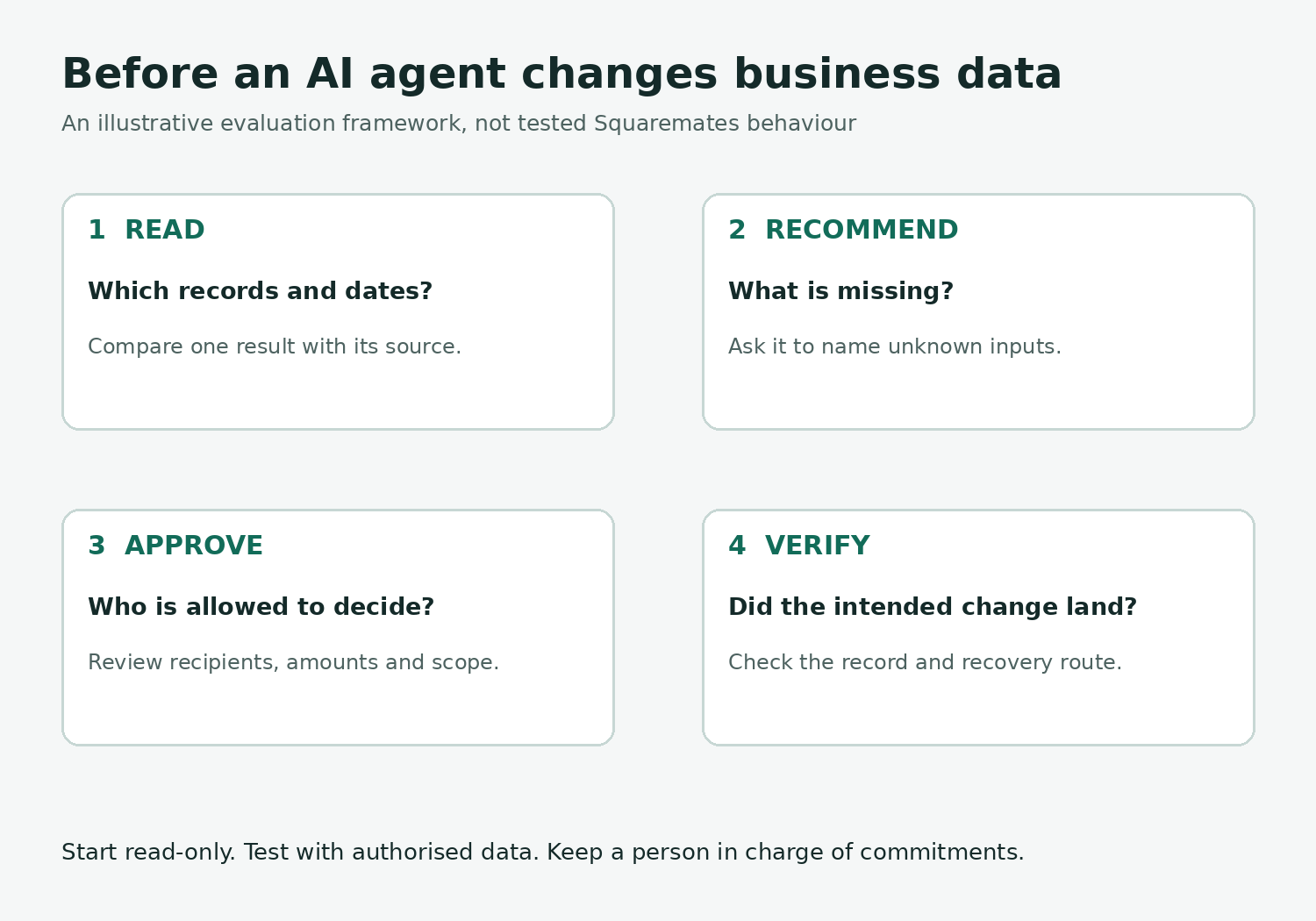
Original illustration. Suggested evaluation framework, not a product screenshot or tested Squaremates behaviour.
Ask the same business question with one required input missing. Does the system say that it cannot make the comparison, or does it fill the gap with a plausible answer?
Then separate the stages of a change: show the affected records, prepare the change, review it, apply it and verify the result. Test only with data and permissions you are authorised to use. For anything involving deletion, money or customer messages, establish the approval and recovery steps before enabling the action.
Square's developer page says access is scoped, the connection can be revoked, its CLI asks before deletes or cancellations, and MCP separates read-only tools from write tools. Those are useful controls. They are not a promise that every kind of business change has the same approval behaviour. Verify the particular action you intend to use.
Should you buy an agent or build one?
If your workflow and records already live in Square, test the native option before commissioning a separate system. A custom integration may make sense when an important process spans systems or needs rules the existing product cannot support. Start with the missing workflow, not a request to clone the entire assistant.
For businesses outside the stated U.S. rollout, the immediate lesson is the design: useful agents need reliable business data, narrow permissions and a reviewable result. It is not a reason to assume this product is available in your country.
Discuss an AI workflow with Matrytech
Bring one recurring task, the systems it touches and the decisions a person must retain. We can discuss the development scope and what would need to be verified before a build. This article does not claim a completed Square integration, a managed Squaremates service or guaranteed savings.
Sources
Square announcement, November 12: https://squareup.com/us/en/press/introducing-squaremates
Squaremates product page: https://squareup.com/us/en/squaremates
Square developer tools and access controls: https://developer.squareup.com/us/en/agents